
EZ Bulk Rename
Rename hundreds of files at once with simple rules — see every new name before anything changes, and undo with one click. Offline on your own Windows PC. Free.
- v1.0.0
- Windows 10/11
- Updated 15 Oct 2026
Download
Download Installer (.exe) 14.8 MB- Portable (zip) 18.6 MB Unzip anywhere and run — nothing to install.
Is it safe? Check it yourself
- VirusTotal checks a file with 70+ antivirus engines at once, free.
-
Make sure your file is the one we published. Its SHA-256 fingerprint must match:
- EZ-Bulk-Rename-Setup-1.0.0.exe
ed4343a23bbc2932624fd3ca31299907b1d7f0eaee74fed3294904eb7ff75887 - EZ-Bulk-Rename-1.0.0-portable.zip
51401e1e43376b0e817a33dc2d4e4b6eb0ee58005b395449f24842636ecf13e0
On Windows, open PowerShell in your Downloads folder and run:
Get-FileHash .\EZ-Bulk-Rename-Setup-1.0.0.exe -
- The program is not code-signed yet, so Windows SmartScreen may say "Windows protected your PC". Click More info → Run anyway. That warning is about the missing signature, not a virus.
EZ Bulk Rename
Rename hundreds of files at once with simple rules. See every new name before anything changes, and undo with one click. Offline, on your own PC. No account. Free.
Tukar nama ratusan fail sekali gus dengan rules yang mudah. Nampak semua nama baru sebelum apa-apa berubah, dan undo dengan satu klik. Terus dalam PC anda, takde upload, percuma.
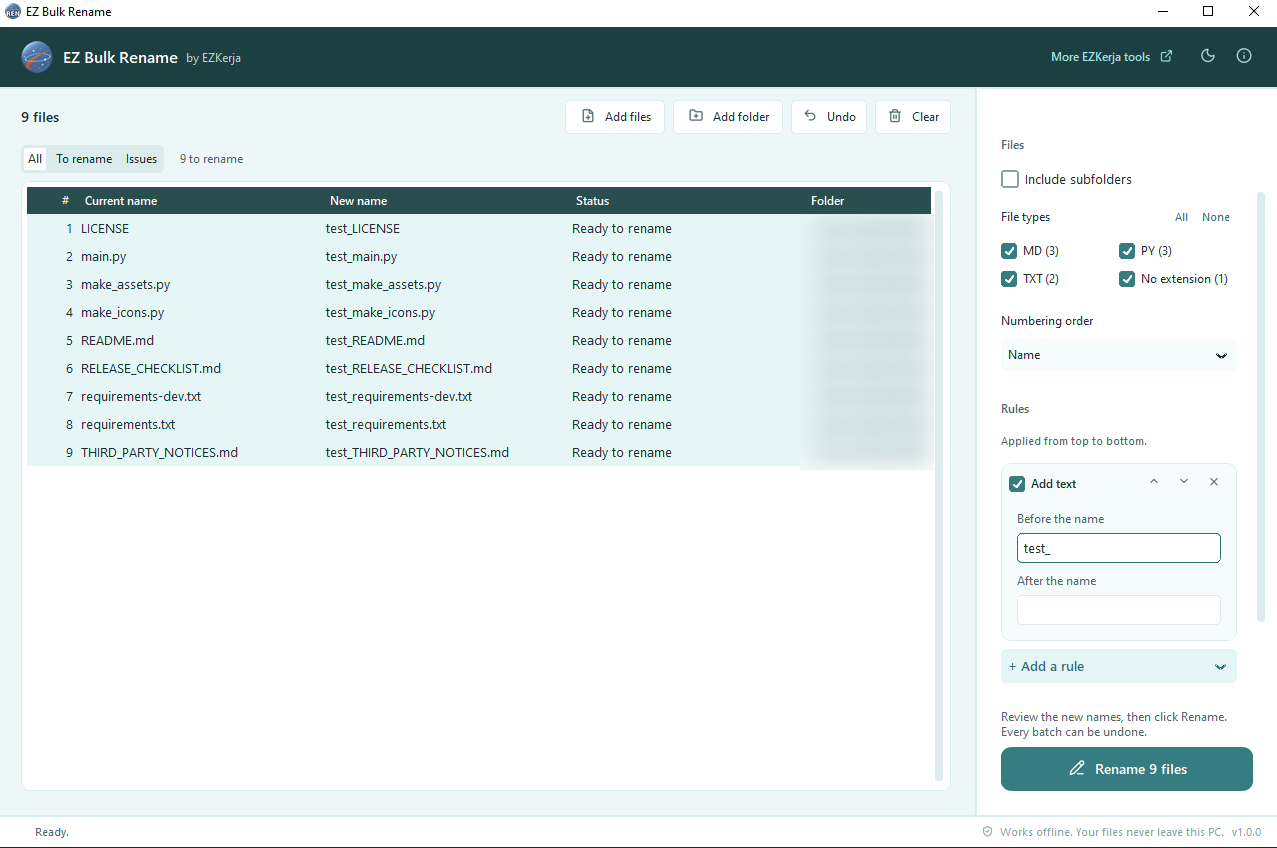
Every new name in the preview, before anything changes. Then one click — and one click to undo.
Why this exists
Scanned documents arrive as Scan 0001.pdf. Phone photos are IMG_2041.JPG. Invoices,
payslips, reports — every month, the same files need proper names before they go into the shared
folder. Renaming them one by one is slow, and one typo puts a file where nobody will find it.
EZ Bulk Rename does the whole folder in one go. You add a few rules — replace a word, add a date, add a number — and the preview shows the new name of every file before anything is renamed. If something looks wrong, change the rule. If you change your mind afterwards, click Undo.
What it does
| Add files your way | Drag files or whole folders onto the window, use Add files / Add folder, or right-click in Explorer → Send to → EZ Bulk Rename. Include subfolders, and tick which file types to rename — PDF, JPG, DOCX… are detected for you. |
| Simple rules, stacked | Find and replace · add text before or after · numbering (start, step, 001-style digits) · insert the file’s date · change case · clean up spaces and characters · change the extension. Stack as many as you need and reorder them. |
| Rename from list | Rename from an Excel or CSV list: old name → new name. Ideal for HR files named by staff ID (S001.pdf → Ahmad Faiz.pdf). |
| Live preview | Every file’s current name and new name side by side, updated as you type. |
| Issues caught before they happen | Two files getting the same name, a character Windows doesn’t allow, a file already there, a path that’s too long — the row turns red with the reason (click it for the full explanation), and Rename stays off until it’s fixed. |
| One-click undo | Undo the last rename (or press Ctrl+Z), or any earlier batch from its undo log. |
What it promises
- 100% offline — no upload, no account, no tracking
- Only renames — files are never deleted, copied, moved or opened; contents and dates stay exactly as they were
- All or nothing — if one file can’t be renamed (open in Excel, say), every file is put back and nothing has changed
- An undo log for every batch — a CSV of old and new names, saved before the first rename
- No admin rights needed — for the installer or the portable zip
- Dark mode, and the last rules you used are remembered
Download and run
Installer — recommended
- Click Download Installer (.exe) above.
- Double-click
EZ-Bulk-Rename-Setup-1.0.0.exeand click Next through the steps. It installs into your own user folder, so no admin rights are needed. Leave Send to ticked to rename files straight from Explorer’s right-click menu. - Open EZ Bulk Rename from the Start menu.
Portable (zip) — nothing to install
- Click Portable (zip) above, right-click the zip → Extract All.
- Double-click
EZ Bulk Rename.exe. Keep the_internalfolder next to it.
Windows protected your PC? The program is not code-signed yet, so Windows SmartScreen may warn you the first time. Click More info → Run anyway. The download box above shows how to check the file with VirusTotal and its SHA-256 fingerprint.
About the VirusTotal result
Four engines on VirusTotal flag the installer: Arctic Wolf (“Unsafe”), Elastic (“Malicious, moderate confidence”), SecureAge (“Malicious”) and Skyhigh (“BehavesLike…ObfuscatedPoly”). Every other engine reports no threat. These are false positives. These engines guess from how a file is built and packed, not from known malware — and programs made with PyInstaller (a common tool for packaging Python apps) that are not code-signed yet, like this one, are often flagged this way. EZ Bulk Rename only renames the files you give it. It never deletes, copies or opens them, and it never sends anything over the internet. Its full source code is public on GitHub. If you want to be sure, check the SHA-256 fingerprint in the download box above against the VirusTotal report.
How to use it
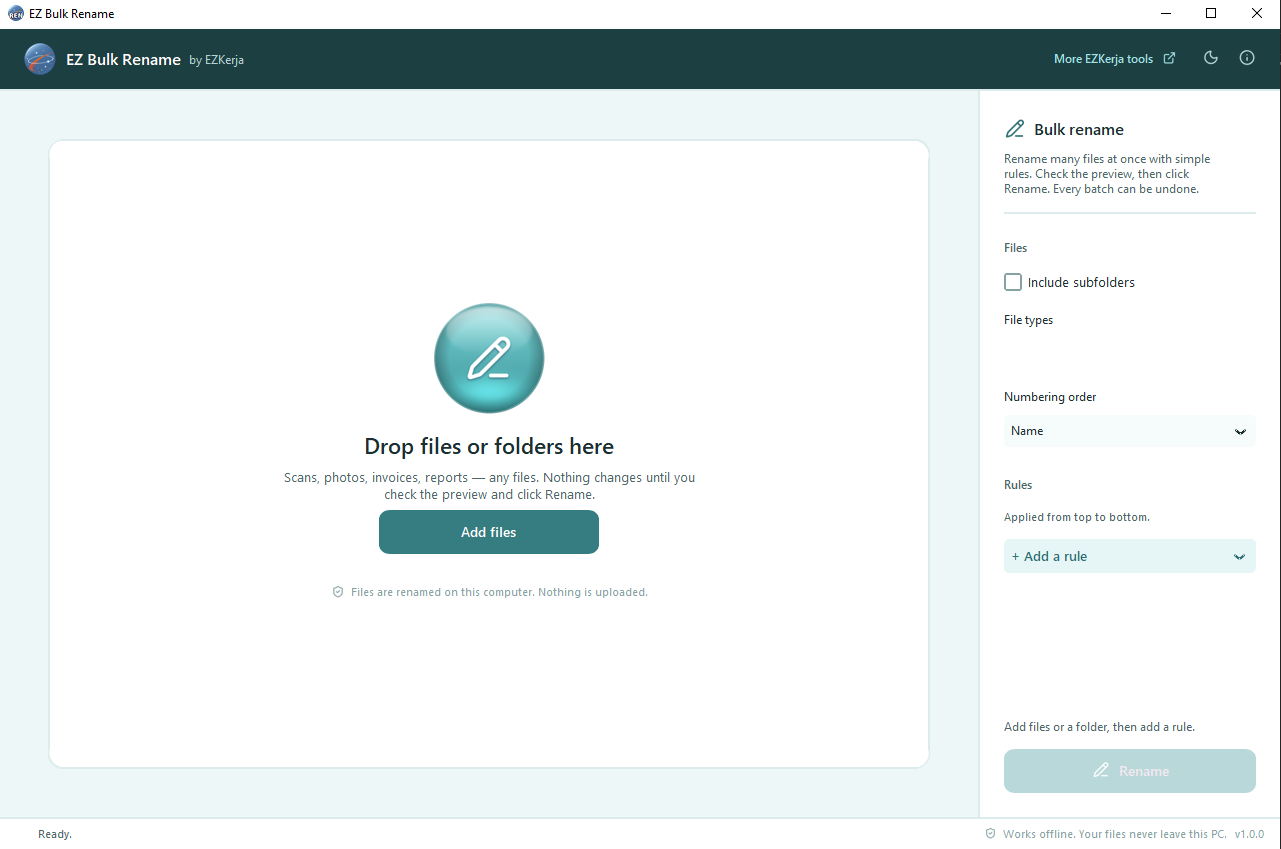
- Drag your files or folder into the window.
- Click + Add a rule and choose one — for example Numbering, then Insert date.
- Check the New name column. Red rows explain what needs fixing.
- Click Rename.
- Changed your mind? Undo → Undo last rename, or press Ctrl+Z.
Tip: to rename by staff ID or invoice number, put two columns in Excel — current name, new name — and use the Rename from list rule.
Requirements
- Windows 10 or Windows 11 (64-bit)
- No admin rights, no internet connection
Honest limits
- Windows only.
- Files only, not folders. Dropping a folder renames the files inside it, never the folder itself.
- No photo (EXIF) dates or PDF titles yet. “Insert date” uses the file’s modified or created date, which for photos copied from a phone may be the copy date, not the shooting date.
- No saved presets yet. The last set of rules you used is remembered; you can’t keep several named sets.
- Undo works while the files are where you left them. A file moved, renamed again or deleted afterwards can’t be put back; Undo tells you which.
- Microsoft PowerToys includes PowerRename, also free. If you already use it, you may not need this tool.
- Not code-signed yet, so expect the SmartScreen warning above.
Cara guna (BM)
Installer (disyorkan): klik Download Installer (.exe) di atas, double-click
EZ-Bulk-Rename-Setup-1.0.0.exe dan klik Next sampai siap. Tak perlu admin rights.
Biarkan Send to ditanda supaya boleh rename terus dari right-click dalam Explorer.
Portable (zip): right-click fail zip → Extract All, kemudian double-click
EZ Bulk Rename.exe.
Lepas tu, drag fail atau folder ke dalam app. Klik + Add a rule dan pilih rule — contohnya Numbering atau Insert date. Semak column New name: line merah akan terangkan apa yang perlu dibetulkan. Bila semua okay, klik Rename. Tersilap? Klik Undo, atau tekan Ctrl+Z.
Nak rename ikut staff ID atau nombor invois? Sediakan dua column dalam Excel — nama sekarang dan nama baru — dan guna rule Rename from list.
Pasal keputusan VirusTotal: empat engine (Arctic Wolf, Elastic, SecureAge dan Skyhigh) menandakan installer ini sebagai berisiko; engine lain semua bersih. Itu false positive: engine tersebut meneka berdasarkan cara fail dibina dan dibungkus, bukan malware yang dikenal pasti. App Python yang dibungkus dengan PyInstaller dan belum code-signed memang kerap disalah tanda begini. Source code penuh ada di GitHub, dan anda boleh semak SHA-256 fail dengan laporan VirusTotal di kotak download.
Semua kerja dibuat dalam PC anda. App ini hanya tukar nama fail — ia tak pernah padam, salin atau ubah isi fail.
License
Free to use. MIT licence. The source code is on
GitHub. Third-party component licences are in the
licenses folder inside the app.
Questions
Ask on WhatsApp — the button is below. Malay or English, both fine.