
EZ PDF Organizer
Merge, split, reorder, rotate, compress and delete PDF pages — offline on your own Windows PC. Nothing is uploaded. Free.
- v1.0.0
- Windows 10/11
- Updated 26 Sept 2026
Download
Download Installer (.exe) 21.7 MB- Portable (zip) 30.1 MB Unzip anywhere and run — nothing to install.
Is it safe? Check it yourself
- VirusTotal checks a file with 70+ antivirus engines at once, free.
-
Make sure your file is the one we published. Its SHA-256 fingerprint must match:
- EZ-PDF-Organizer-Setup-1.0.0.exe
320b9238279497bd63920396b29cf860cc0a24a0fdf4ad7f166ae266ee3e3b39 - ez-pdf-organizer.zip
d09adfbf52251a1d45e0acfa2f4fa01dbce5e3097dec7108dea12d09e5e907c6
On Windows, open PowerShell in your Downloads folder and run:
Get-FileHash .\EZ-PDF-Organizer-Setup-1.0.0.exe -
- The program is not code-signed yet, so Windows SmartScreen may say "Windows protected your PC". Click More info → Run anyway. That warning is about the missing signature, not a virus.
EZ PDF Organizer
Merge, split, reorder, rotate, compress and delete PDF pages — offline, on your own PC. Nothing is uploaded. No account. Free.
Urus fail PDF terus dalam PC anda — takde upload, takde account, percuma.
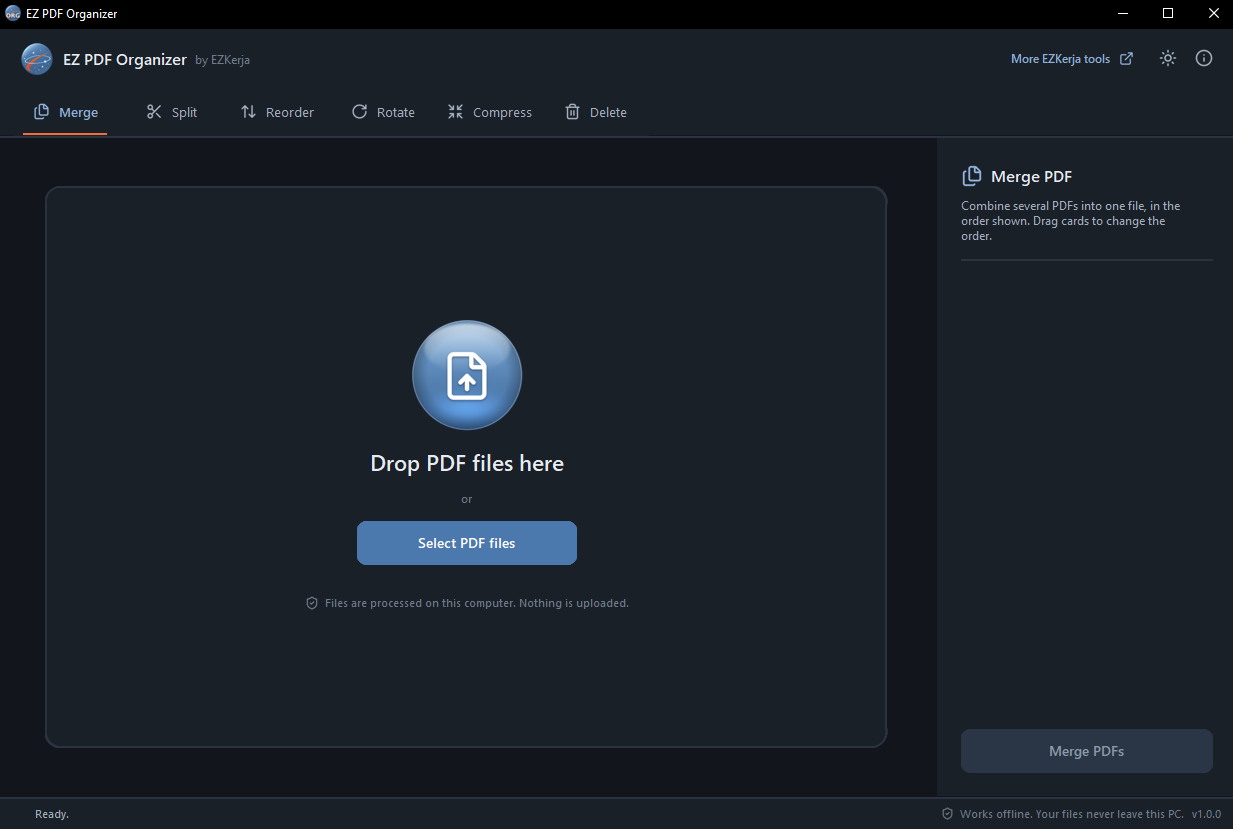
Why this exists
Most people merge or split PDFs on a free website because they do not know there is another way. That means the file leaves your PC and goes to a third-party server, you wait for the upload, you hit size limits, and you need internet.
EZ PDF Organizer does the same everyday jobs on your own computer. Your files never leave it.
What it does
| Function | What it does |
|---|---|
| Merge | Combine several PDFs into one. Drag to set the order. |
| Split | Every page as its own PDF, or only the ranges you need (1-3, 5, 8-10). Output goes into its own folder. |
| Reorder | Drag pages into a new order, or use the arrow keys. |
| Rotate | Turn selected pages (or all) left, right or 180°. |
| Compress | Three levels. Text stays sharp and searchable. |
| Delete | Click the pages you do not need and save a clean copy. |
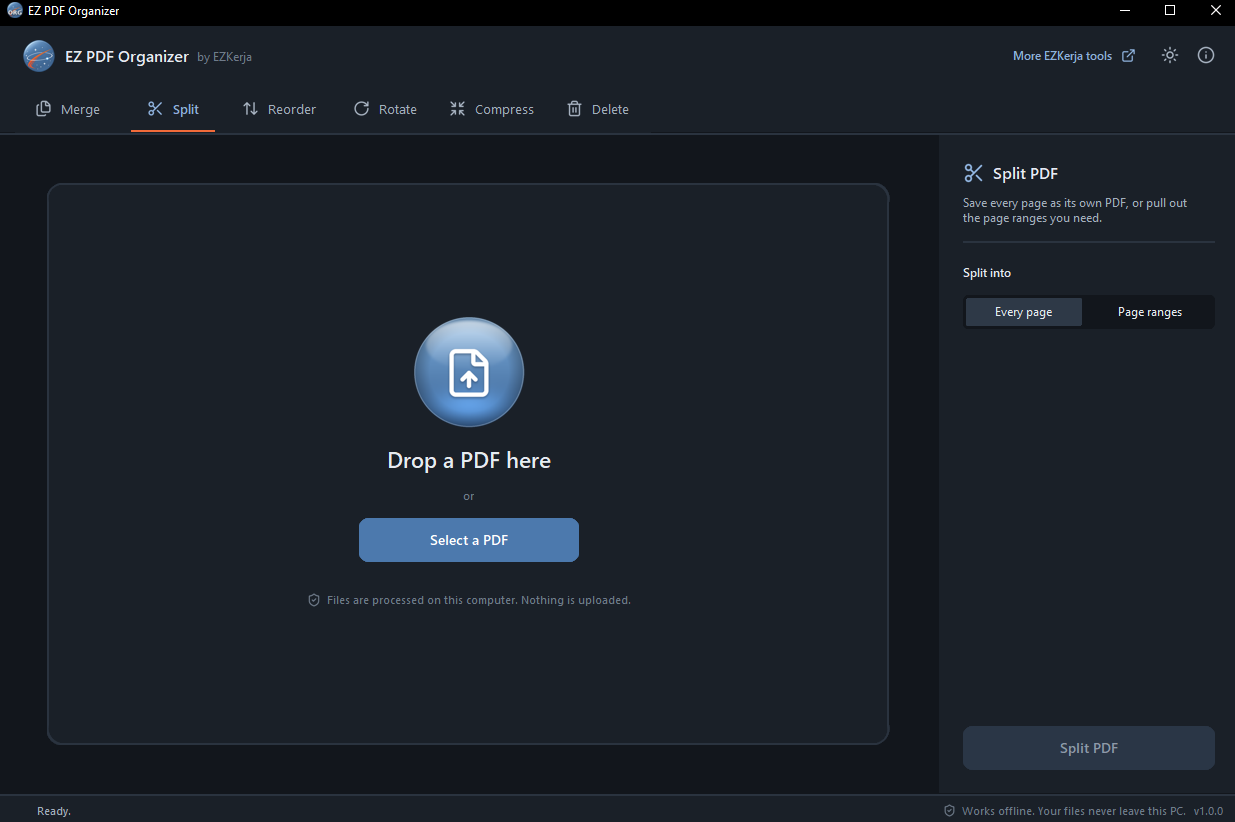
What it promises
- 100% offline — no upload, no account, no tracking
- Your original file is never changed or overwritten — every result is saved as a new PDF
- No file size limit from the tool
- Works without internet
- No admin rights needed — for the installer or the portable zip
- Dark mode, keyboard shortcuts, and Open with from File Explorer
Download and run
Two ways to get it. Same program, pick one.
Installer — recommended
- Click Download Installer (.exe) above.
- Double-click
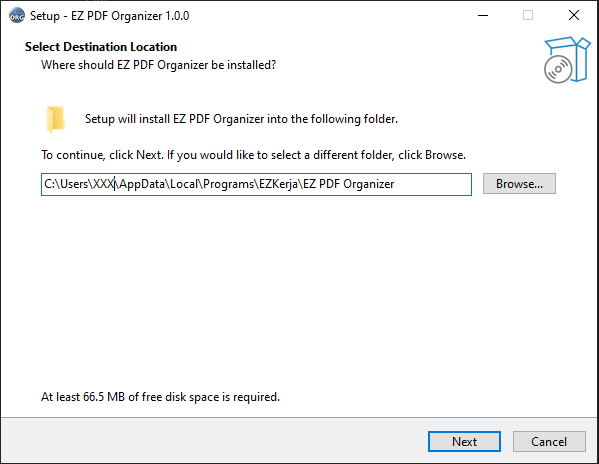
EZ-PDF-Organizer-Setup-1.0.0.exe. - Click Next through the steps. It installs into your own user folder
(
AppData\Local\Programs\EZKerja), so no admin rights are needed. - When it finishes, open EZ PDF Organizer from the Start menu.
Portable (zip) — nothing to install
- Click Portable (zip) above.
- Right-click the zip → Extract All.
- Open the folder and double-click
EZ PDF Organizer.exe.
Keep the _internal folder next to the .exe — the program needs it. Good for a USB drive
or a PC where you would rather not install anything.
Windows protected your PC? The program is not code-signed yet, so Windows SmartScreen may warn you the first time. Click More info → Run anyway. The download box above shows how to check the file with VirusTotal and its SHA-256 fingerprint.
Requirements
- Windows 10 or Windows 11
- No admin rights, no internet connection
- Installer needs about 66.5 MB of free disk space
Honest limits
- Windows only. No Mac or Linux version.
- Six jobs, done well. No OCR, no converting to Word or images, no watermarks. Other PDF tools have more features — this one is for the everyday jobs, done simply and offline.
- Not code-signed yet, so expect the SmartScreen warning above.
Cara guna (BM)
Installer (disyorkan):
- Klik Download Installer (.exe) di atas.
- Double-click
EZ-PDF-Organizer-Setup-1.0.0.exe, klik Next sampai siap. Tak perlu admin rights. - Buka EZ PDF Organizer dari Start menu.
Portable (zip):
- Klik Portable (zip) di atas.
- Klik kanan fail zip → Extract All.
- Buka folder, double-click
EZ PDF Organizer.exe.
Lepas tu, drag fail PDF masuk dan pilih fungsi — Merge, Split, Reorder, Rotate, Compress atau Delete.
Semua kerja berlaku dalam PC anda. Fail asal tak pernah diubah — hasil sentiasa disimpan sebagai fail baru. Percuma sepenuhnya, takde versi berbayar.
License
Free to use — no paid version, no licence key, no trial. Third-party component licences are in
the licenses folder inside the zip.
Questions
Ask on WhatsApp — the button is below. Malay or English, both fine.