
EZ PDF Organizer — Merge, Split, Compress PDF Offline, PercumaEZ PDF Organizer — Merge, Split, Compress PDFs Offline, Free
/ 3 min read
Table of Contents
Table of Contents
Setiap minggu ada kerja PDF yang sama. Gabung tiga invois jadi satu. Keluarkan page 5 dari laporan 40 page. Page yang ter-scan terbalik. Fail terlalu besar untuk email.
Semua kerja ni kecil. Tapi kalau caranya ialah buka website, upload, tunggu, download — setiap kali — masa dia bertambah, dan fail kerja anda keluar dari PC setiap kali.
EZ PDF Organizer dibuat untuk kerja-kerja kecil ni. Ia berfungsi terus dalam PC Windows anda.
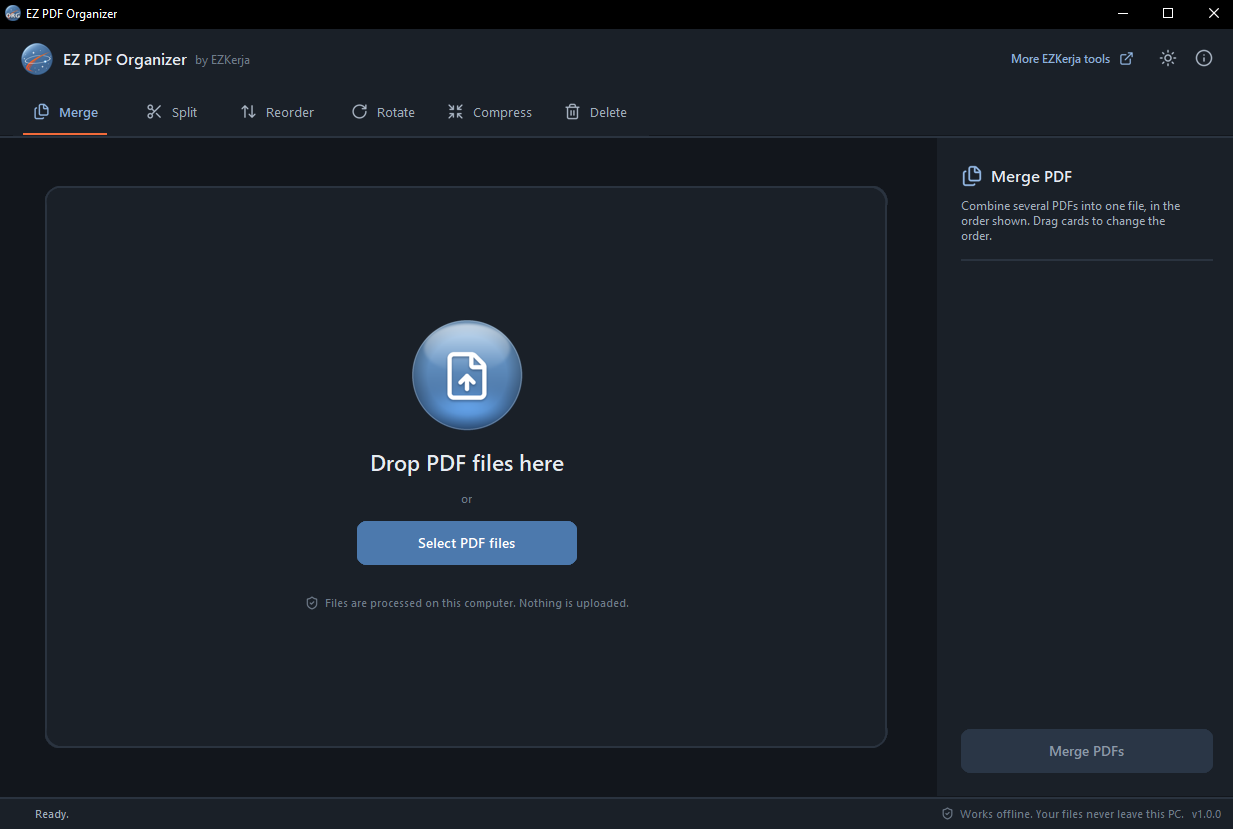
Enam kerja, dalam satu window
| Fungsi | Apa dia buat |
|---|---|
| Merge | Gabung beberapa PDF jadi satu. Drag untuk ubah susunan. |
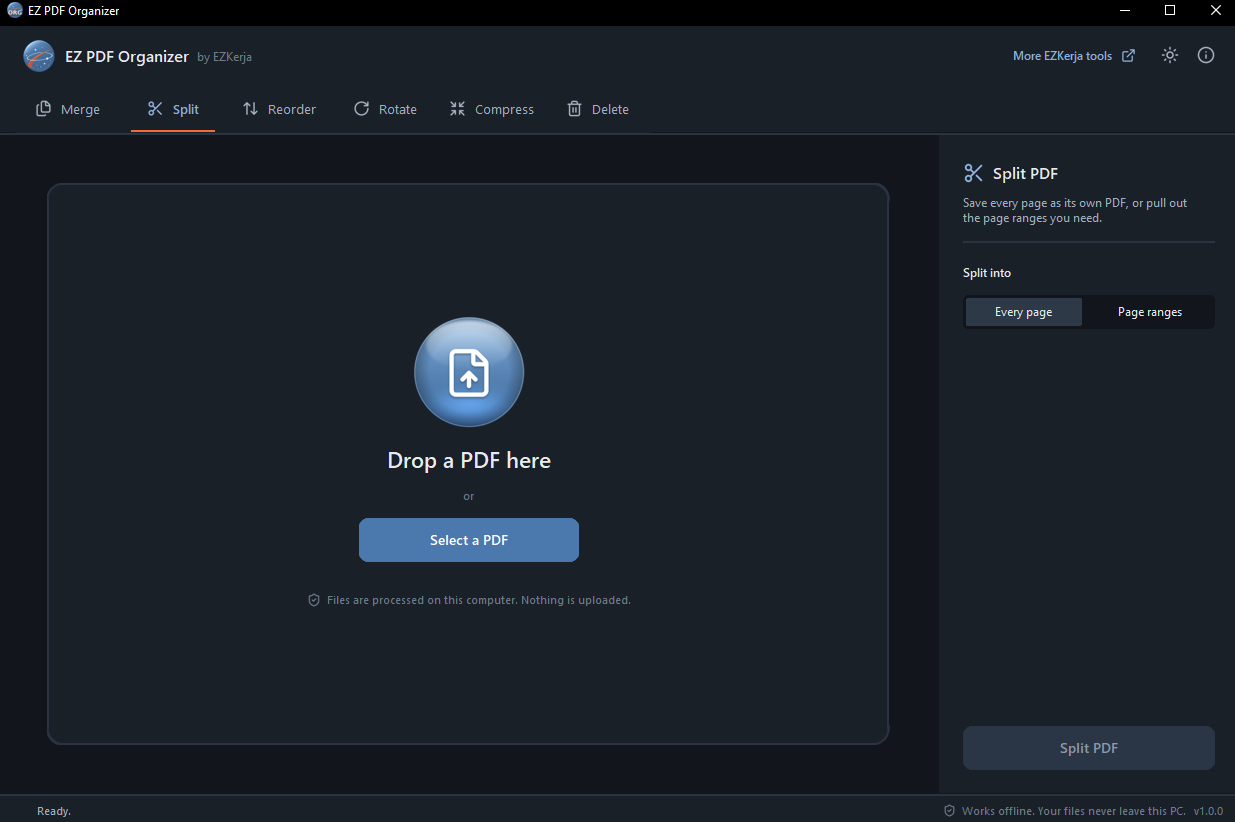
| Split | Setiap page jadi PDF sendiri, atau ambil julat yang perlu sahaja (1-3, 5, 8-10). |
| Reorder | Seret page ke susunan baru, atau guna arrow key. |
| Rotate | Putar page yang dipilih (atau semua) ke kiri, kanan atau 180°. |
| Compress | Tiga level. Teks kekal tajam dan masih boleh di-search. |
| Delete | Klik page yang tak perlu, simpan salinan yang bersih. |
Setiap fungsi ada tab sendiri di atas. Pilih tab, drag fail masuk, tekan butang di kanan bawah. Itu sahaja.
Tiga kelebihan utama
1. Fail anda tak keluar dari PC. Takde upload, takde account, takde tracking. Status bar di bawah setiap skrin tulis benda yang sama: Works offline. Your files never leave this PC. Sebab tu tool ni boleh guna walaupun takde internet.
2. Fail asal tak pernah diubah. Setiap hasil disimpan sebagai fail PDF baru. Kalau anda tersilap delete page, fail asal masih ada, tak terusik.
3. Compress tak rosakkan teks. Ada cara compress yang tukar setiap page jadi gambar — fail jadi kecil, tapi teks kabur dan tak boleh search lagi. Organizer hanya kecilkan gambar dalam PDF; teks dan garisan dibiarkan. Hasilnya teks kekal tajam.
Siapa yang patut guna
- Admin, HR, finance — yang gabung, pecah dan hantar dokumen setiap hari.
- Sesiapa yang company dia larang upload dokumen kerja ke website luar.
- IT support dan engineer — ni jenis tool yang boleh terus recommend bila colleague tanya “macam mana nak gabung PDF ni?” Pasang tak perlu admin rights.
Had tool ini
- Windows 10/11 sahaja. Takde versi Mac atau Linux.
- Enam kerja itu sahaja. Takde OCR, takde convert ke Word atau gambar. Ada tool lain yang lebih banyak fungsi — Organizer fokus pada kerja harian, dibuat dengan senang dan offline. Nak sign, cop atau letak watermark? Itu kerja EZ PDF Editor.
- Belum code-signed. Kali pertama buka, Windows SmartScreen mungkin tunjuk amaran. Klik More info → Run anyway. Page download tunjuk SHA-256 fail supaya anda boleh semak.
Cara dapatkan
- Pergi ke page download EZ PDF Organizer.
- Klik Download Installer (.exe), double-click, klik Next sampai siap. Ia pasang dalam folder user anda sendiri, jadi tak perlu admin rights.
- Buka EZ PDF Organizer dari Start menu dan drag PDF masuk.
Tak nak install? Ada versi portable (zip) di page yang sama — extract dan terus guna.
Percuma sepenuhnya. Takde versi berbayar, takde licence key, takde trial.
Nak tahu kenapa kami tak galakkan upload PDF kerja ke website free? Baca Kenapa Jangan Upload PDF Kerja ke Website Free.
CTA
Download EZ PDF Organizer — atau WhatsApp kami kalau ada soalan, Bahasa Melayu atau English.
Every week brings the same PDF jobs. Combine three invoices into one. Pull page 5 out of a 40-page report. A page that was scanned upside down. A file too big to email.
Each job is small. But if the way you do it is open a website, upload, wait, download — every time — the minutes add up, and your work file leaves your PC every time.
EZ PDF Organizer is built for these small jobs. It runs right on your Windows PC.
Six jobs, in one window
| Function | What it does |
|---|---|
| Merge | Combine several PDFs into one. Drag to change the order. |
| Split | Every page as its own PDF, or only the ranges you need (1-3, 5, 8-10). |
| Reorder | Drag pages into a new order, or use the arrow keys. |
| Rotate | Turn the selected pages (or all) left, right or 180°. |
| Compress | Three levels. Text stays sharp and still searchable. |
| Delete | Click the pages you don’t need, save a clean copy. |
Each function has its own tab at the top. Pick the tab, drag the file in, press the button at the bottom right. That’s all.
Three promises
1. Your files don’t leave your PC. No upload, no account, no tracking. The status bar at the bottom of every screen says the same thing: Works offline. Your files never leave this PC. That is why the tool works even without internet.
2. The original file is never changed. Every result is saved as a new PDF file. If you delete the wrong page, the original is still there, untouched.
3. Compress doesn’t ruin the text. Some compressors turn every page into a picture — the file gets smaller, but the text goes blurry and can’t be searched any more. Organizer only shrinks the images inside the PDF; text and lines are left alone. So the text stays sharp.
Who should use it
- Admin, HR, finance — the people who combine, split and send documents every day.
- Anyone whose company bans uploading work documents to outside websites.
- IT support and engineers — this is the kind of tool you can recommend straight away when a colleague asks “how do I combine these PDFs?” It installs without admin rights.
Honestly: what it doesn’t do
- Windows 10/11 only. No Mac or Linux version.
- Those six jobs only. No OCR, no converting to Word or images. Other tools have more features — Organizer focuses on everyday jobs, done simply and offline. Need to sign, stamp or watermark? That’s EZ PDF Editor.
- Not code-signed yet. The first time you open it, Windows SmartScreen may show a warning. Click More info → Run anyway. The download page shows the file’s SHA-256 so you can check it.
How to get it
- Go to the EZ PDF Organizer download page.
- Click Download Installer (.exe), double-click it, click Next until it’s done. It installs into your own user folder, so no admin rights are needed.
- Open EZ PDF Organizer from the Start menu and drag a PDF in.
Rather not install anything? There’s a portable (zip) version on the same page — extract it and use it straight away.
Completely free. No paid version, no licence key, no trial.
Want to know why we don’t recommend uploading work PDFs to free websites? Read Why You Shouldn’t Upload Work PDFs to Free Websites.
CTA
Download EZ PDF Organizer — or WhatsApp us if you have a question, in Bahasa Melayu or English.